
LinkedIn Instructions for WWAD Leaders
Thank you for helping to lead a local Walk with a Doc chapter! Please consider adding Walk with a Doc to your LinkedIn profile as a “volunteer experience” using these simple instructions:
- Visit linkedin.com and login
- Click your picture at the top and then “View Profile”
- Click “Add profile section”
- Click “Add Volunteer Experience”
- Complete the information:
- Organization: start typing “Walk With a Doc” and you should be able to click on it.
- Role: Walk Leader
- Cause: Health
- I’m currently volunteering in this role: Yes
- Start Date
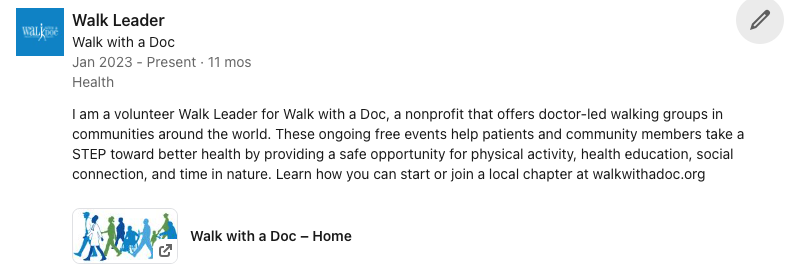
- Description: write your own, or copy & paste this template:
I help lead a local chapter of Walk with a Doc, a nonprofit that offers doctor-led walking groups in communities around the world. These ongoing free events help patients and community members take a STEP toward better health by providing a safe opportunity for physical activity, health education, social connection, and time in nature. Learn how you can start or join a local chapter at walkwithadoc.org - Media (Optional) – click Add Media, click Add a Link, enter https://walkwithadoc.org, click Add, for the thumbnail upload this photo for the thumbnail, click Apply
- Click Save and you’re done! Here’s what the finished product will look like: